Laptop bags are practical, but let's be honest: many of them look like they belong in a 2005 sales conference. So you carry your laptop in a tote instead. It looks better, it fits your other things, and it goes with your outfit. But a little voice keeps asking: can you carry a laptop in a tote bag safely, or are you one bump away from a cracked screen?
The short answer is yes, you can carry a laptop in a tote bag. Millions of women do it every day. But not every tote protects a laptop equally, and how you pack matters as much as the bag itself. This guide covers the real risks, how to protect your laptop and what to look for in a laptop tote.
The Real Risks of Carrying a Laptop in a Tote
Laptops are tougher than they look, but they do have weak points. Here is what actually damages laptops carried in totes:
- Drops and bumps. An unpadded tote set down hard on a floor, or dropped from your shoulder, transfers the shock straight to the laptop.
- Pressure on the screen. Heavy items pressing against a closed laptop, like a full water bottle or a thick book, can damage the screen over time. A charger brick or keys trapped between the screen and keyboard can leave marks or worse.
- Liquids. A leaking water bottle, coffee cup or lunch container is one of the most common causes of laptop damage. Water and electronics do not mix.
- Scratches. Keys, pens and loose coins scratch the laptop's case and screen.
- Heat. Putting a laptop in a bag while it is still running or hot can trap heat.
- Theft. An open-top tote makes it easier for someone to lift a laptop on a crowded train.
The good news is that every one of these risks is easy to reduce.
7 Ways to Protect Your Laptop in a Tote Bag
1. Give it a padded home
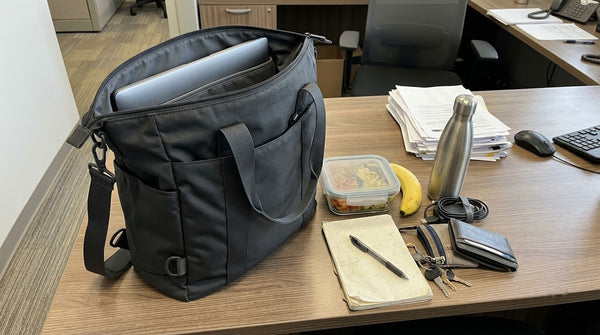
Your laptop should never just float loose in a tote. Use either a tote with a built-in padded laptop section or a separate padded laptop sleeve. The padding absorbs shocks and keeps the laptop upright and in one place.
2. Keep it against the back wall
Place your laptop upright against the side of the bag that sits next to your body. This protects it from the outside world, keeps the heaviest item close to you (better for your shoulder) and makes it harder to steal.
3. Separate food and drinks
This is the big one. Keep your water bottle, coffee and lunch away from your laptop, ideally in a sealed, leak-proof section. Make sure bottles are fully closed and upright. A single leak can cost more than the bag.
4. Keep sharp and hard items away from the screen
Keys, pens and chargers should live in pockets or pouches, not loose in the main space where they can slide against your laptop.
5. Shut it down or put it to sleep properly
Make sure your laptop is fully asleep or shut down before you put it away, and let it cool if it has been working hard. Check that the lid is fully closed.
6. Set your bag down gently
Get into the habit of placing your bag down rather than dropping it. Avoid hanging it on chair backs where it can tip over, and do not leave it on the floor where it can be kicked.
7. Zip it closed
A zip-top tote protects against both theft and rain. If your tote is open-top, keep it on the side of your body away from the crowd. Our article on 7 anti-theft habits for city workers has more tips for crowded commutes.
What Size Tote Do You Need for Your Laptop?
Laptop sizes like 13", 15" and 17" refer to the diagonal measurement of the screen, not the size of the laptop itself. The body of the laptop is always larger than the screen size. So before you buy, check two things:
- Your laptop's actual width, depth and thickness (usually listed in the specs).
- The laptop section size listed by the bag maker, or the largest laptop it is designed to fit.
A laptop section that is a little larger than your laptop is fine, especially if you add a slim sleeve. A section that is too small will stretch the bag and squeeze the laptop.
Is a Tote or a Backpack Better for a Laptop?
Backpacks spread weight across both shoulders, which is great for very heavy loads or long walks. Totes are easier to get in and out of, look more polished and are better for short commutes and office days. Both can protect a laptop well if they have padding and good structure. For a full comparison, read tote bag vs backpack for work: which is better for you?
Will Carrying a Laptop in a Tote Hurt My Shoulder?
A laptop plus charger can add a noticeable amount of weight to your bag. Add lunch, water, a notebook and your everyday essentials, and a tote can get heavy fast. To protect your shoulders:
- Carry only the charger you need, and leave a second one at the office if you can.
- Remove items you do not use every day.
- Switch shoulders regularly.
- Choose a tote with comfortable, wide straps.
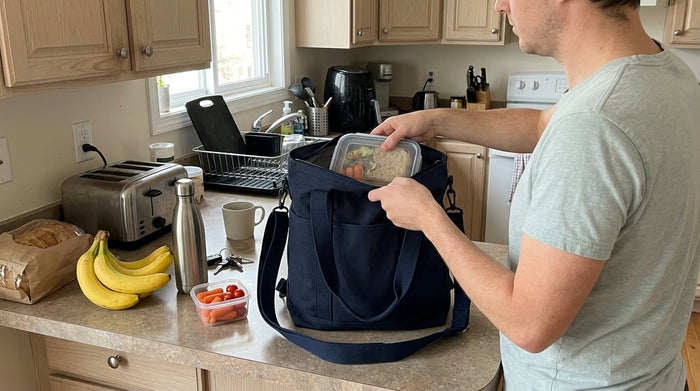
- Combine bags instead of carrying two. One balanced bag is easier on your body than a tote plus a separate lunch bag.
For a deeper look, see shoulder pain from a heavy purse: how heavy should a bag be?
Features to Look for in a Laptop Tote
- A padded laptop section sized for your laptop
- A structured shape that does not collapse when you set it down
- A zip closure or a secure zip pocket
- A water-resistant exterior
- Interior pockets for chargers, keys and pens
- A separate, leak-proof section for food and drinks
- Sturdy, comfortable straps that fit over your shoulder, even with a coat
- A style you love, so you will actually use it
We go through each of these in more detail in how to choose a work bag for women: 9 features that actually matter.
How to Pack a Laptop Tote: Step by Step
- Laptop first, in its padded section, against the back wall.
- Notebook or folder next, standing upright.
- Charger and cables in a small tech pouch, not loose.
- Lunch and drinks sealed in their own section.
- Keys, phone and transit card in front pockets.
- Wallet in the zip pocket.
Want every item to have a permanent home? Read how to organize a tote bag so you can actually find things. For a full routine, see our 10-minute morning checklist for packing a work tote.
Traveling With a Laptop in a Tote
Totes are great travel bags because they are easy to open at security and slide under a seat. A few tips:
- Pack your laptop where you can pull it out quickly at security.
- Keep your charger in a pouch so it is easy to find.
- Check your airline's personal item rules before you fly, as they vary by airline.
- Never check a laptop in your hold luggage.
Signs Your Tote Is Not Protecting Your Laptop
Many women only find out their bag is not doing its job after something goes wrong. Watch for these warning signs:
- The laptop slides around when you walk or set the bag down.
- You can feel the corners of the laptop through the side of the bag.
- The bag collapses or tips over when you put it on the floor.
- Your laptop has new scratches or marks on the lid or screen.
- The bottom of the bag is damp after a rainy commute or a leaky bottle.
- The straps dig in or feel like they are pulling away from the bag.
If you notice two or more of these, it is time to add a sleeve or switch to a bag designed to carry a laptop.
How to Care for Your Laptop Tote
A well-cared-for bag protects your laptop for longer. Every week, empty the bag and shake out crumbs and grit, which can scratch your laptop. Wipe the lining with a damp cloth, and let the bag dry fully before you repack it. Check the stitching on the straps and the bottom of the bag every few months. If your tote has an insulated food section, clean it after any spill and air it out regularly so moisture does not build up near your tech.
Finally, think about the whole load, not just the laptop. A bag that is constantly overstuffed puts stress on the seams, the straps and the laptop inside. Keeping your daily load light is good for your bag, your laptop and your shoulders.
Our Pick: A Tote That Protects Your Laptop and Your Lunch
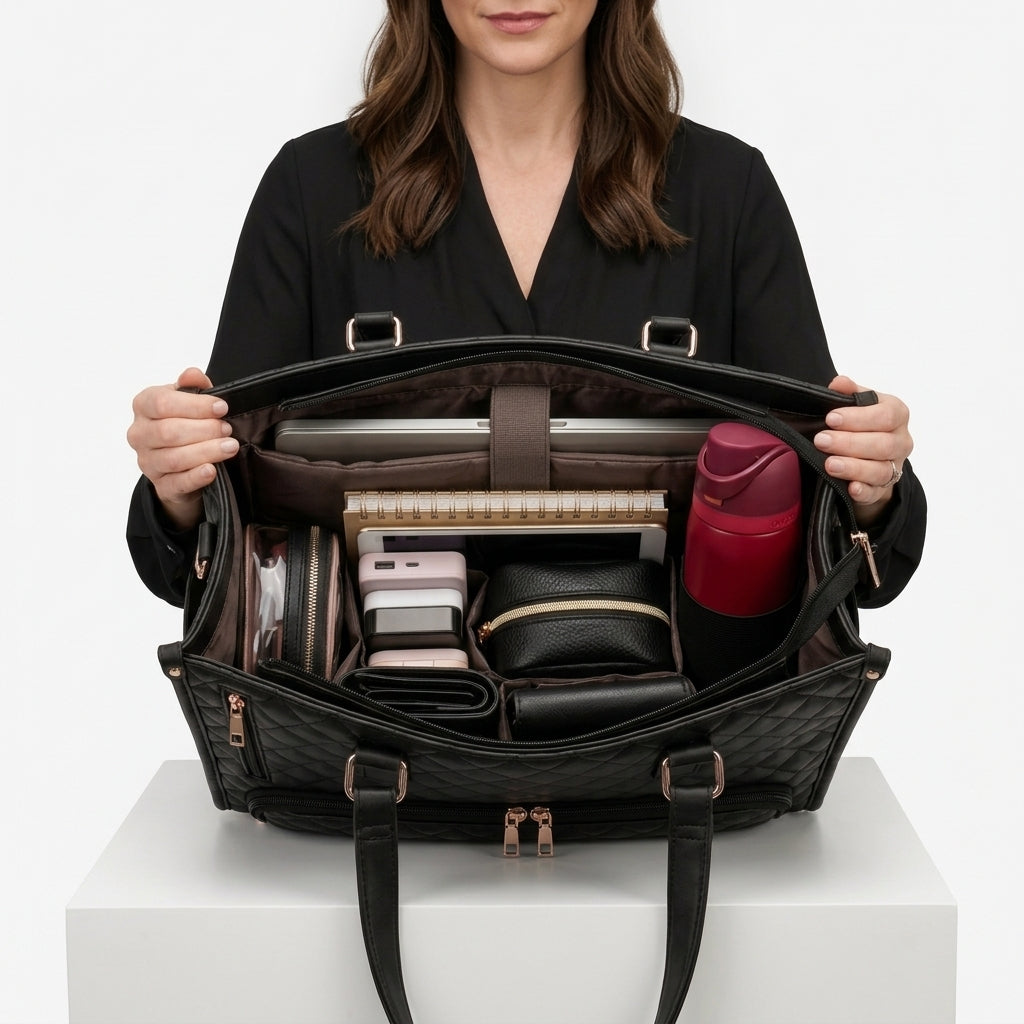
The biggest risk to a laptop in a tote is usually not the tote, it is the coffee or soup sitting next to it. The JELRIX 3-in-1 Totebag solves this by giving your laptop and your lunch completely separate spaces in one stylish bag.
- Fits laptops up to 17" in its own space.
- 100% leak-proof insulated food compartment, sealed away from your tech, keeping meals warm up to 5 hours or cold up to 10.
- Secure zip pocket plus 7 smart compartments for chargers, keys and valuables.
- Waterproof exterior and easy-to-clean lining.
- Stylish, sturdy and lightweight, with a look that works in meetings and on weekends.
For extra protection on long commutes, you can also slip a thin sleeve over your laptop. The bag ships in 3 to 5 days with tracking, and comes with 30-day easy returns.
What the Experts Say
Laptop makers give similar advice. Apple, for example, recommends using its laptops where the air temperature is between 50° and 95° F (10° and 35° C) and not leaving them in a parked car. Once you arrive, OSHA's computer workstations guide has tips on setting up your desk comfortably.
Keep Reading
Flying with your laptop? See our personal item bag checklist. Heading to an event? Read conference and business trip bag essentials. And keep rain away from your tech with how to protect your tote from rain and stains.
Frequently Asked Questions
Is it safe to carry a laptop in a tote bag?
Yes, as long as the laptop is protected. Use a tote with a padded laptop section or add a padded sleeve, keep the laptop upright against the back wall, keep food and drinks in a sealed section, and set your bag down gently.
Do I need a laptop sleeve if my tote has a laptop compartment?
Not always, but a thin sleeve adds extra protection against bumps and scratches, especially if you commute on busy transit or travel often.
What size tote bag do I need for a 15-inch laptop?
Laptop sizes refer to the screen's diagonal, so the laptop body is larger. Check your laptop's actual dimensions and compare them with the bag's laptop section or the largest laptop size it is designed to fit.
Can I carry my lunch in the same bag as my laptop?
Yes, if your lunch is in a separate, sealed, leak-proof section. Never put food or drinks loose next to your laptop.
Is a tote bag or a backpack better for carrying a laptop?
Backpacks are better for very heavy loads and long walks because they spread the weight. Totes are easier to access and look more professional. Both work well with good padding and structure.