It is 7:40 on an office day. Your laptop charger is still plugged in behind the sofa at home. Your lunch is in the fridge because you ran out of hands. By noon you are paying for a sad sandwich, borrowing a cable from a colleague, and hunting for a free desk with no drawer to put anything in. Sound familiar? The right return to office essentials fix most of this before it starts.
Hybrid work sounds simple on paper: a few days at home, a few days in the office. In real life it means running two workplaces and carrying one of them on your shoulder. This guide shows you how to build a system that stays packed, saves you money, and makes office days feel calm instead of chaotic.
Why Office Days Feel Harder Than They Should
When you worked in the office every day, your desk held your stuff: a cardigan on the chair, a mug by the monitor, snacks in the drawer. With hot desks, anything you leave behind may be gone next time.
Meanwhile your home office has collected all the good gear, so every office day becomes a small moving job. Common pain points:
- Forgetting the one thing you need, usually a charger, badge or headphones.
- Buying lunch and coffee out because packing food feels like one task too many.
- No personal storage at a shared desk, so everything stays in your bag all day.
- Packing from scratch every time, which eats into your morning and your patience.
The fix is not more effort. It is a better system, built around a few return to office essentials that never leave your bag.
The Go-Bag Concept: One Bag That Stays Packed
A go-bag is a work bag that lives by the door and stays ready for office days. Instead of unpacking everything at home and repacking it each morning, you keep a duplicate set of essentials inside it. On office mornings you add only the fresh items: lunch, water and maybe your laptop.
- Buy doubles of the small stuff. A spare charger and cable cost less than the stress of forgetting them.
- Give every item a home so you spot gaps at a glance.
- Restock, don't repack. Remove only what needs washing or charging.
- Keep it near the door. A hook or shelf by the entry means the bag is the last thing you grab.
If you want a detailed packing order for the bag itself, our 10-minute morning work tote checklist walks through it step by step.
Tech Essentials for Hybrid Work
Tech is where most office-day forgetting happens. These hybrid work essentials are worth duplicating or keeping permanently in your bag:
- Laptop charger (a second one that never leaves the bag).
- Phone cable and a compact power bank for long commutes or back-to-back meetings.
- Headphones, ideally noise-canceling for open-plan floors and video calls.
- Adapter or dongle if office monitors use a different port than your laptop.
- Compact mouse, because shared desks don't always have one.
- Badge or access card on a lanyard or clipped inside a pocket.
Tip: keep all cables in one zip pouch. Pouch in bag means tech in bag.
Hot Desk Essentials: Your Portable Desk Kit
Hot-desking means you start each day at a blank surface. A small kit turns any desk into "your" desk in a minute. Good hot desk essentials include:
- Disinfecting wipes for keyboard and desk.
- A reusable mug or bottle, so you are not hunting for cups.
- Sticky notes and a pen for quick reminders.
- A slim laptop stand to ease neck strain.
- A small pouch for desk clutter (lip balm, hair tie, earbuds) so nothing gets lost under papers.
At day's end, everything goes back into the pouch. Clean desk, nothing lost.
Comfort Kit: Office Essentials for Women
Office temperatures are famously unpredictable, and long days take a toll. These office essentials for women keep you comfortable from the first meeting to the last train:
- A light cardigan or wrap for chilly air conditioning.
- Hand cream and lip balm, since office air can be dry.
- Flat shoes or slippers if you commute in sneakers or wear heels for meetings. Check your office dress code first.
- A small toiletry pouch: hair ties, a compact brush, deodorant, tissues, pain relief you normally use, and period products.
- A compact umbrella that lives in the bag all year.
Keep it in one pouch so it moves easily into your weekend handbag (purse).
Food and Drink Plan for Office Days
Lunch is where office days quietly get expensive: coffee on the way in, lunch out, a 3 p.m. snack. A simple plan changes that.
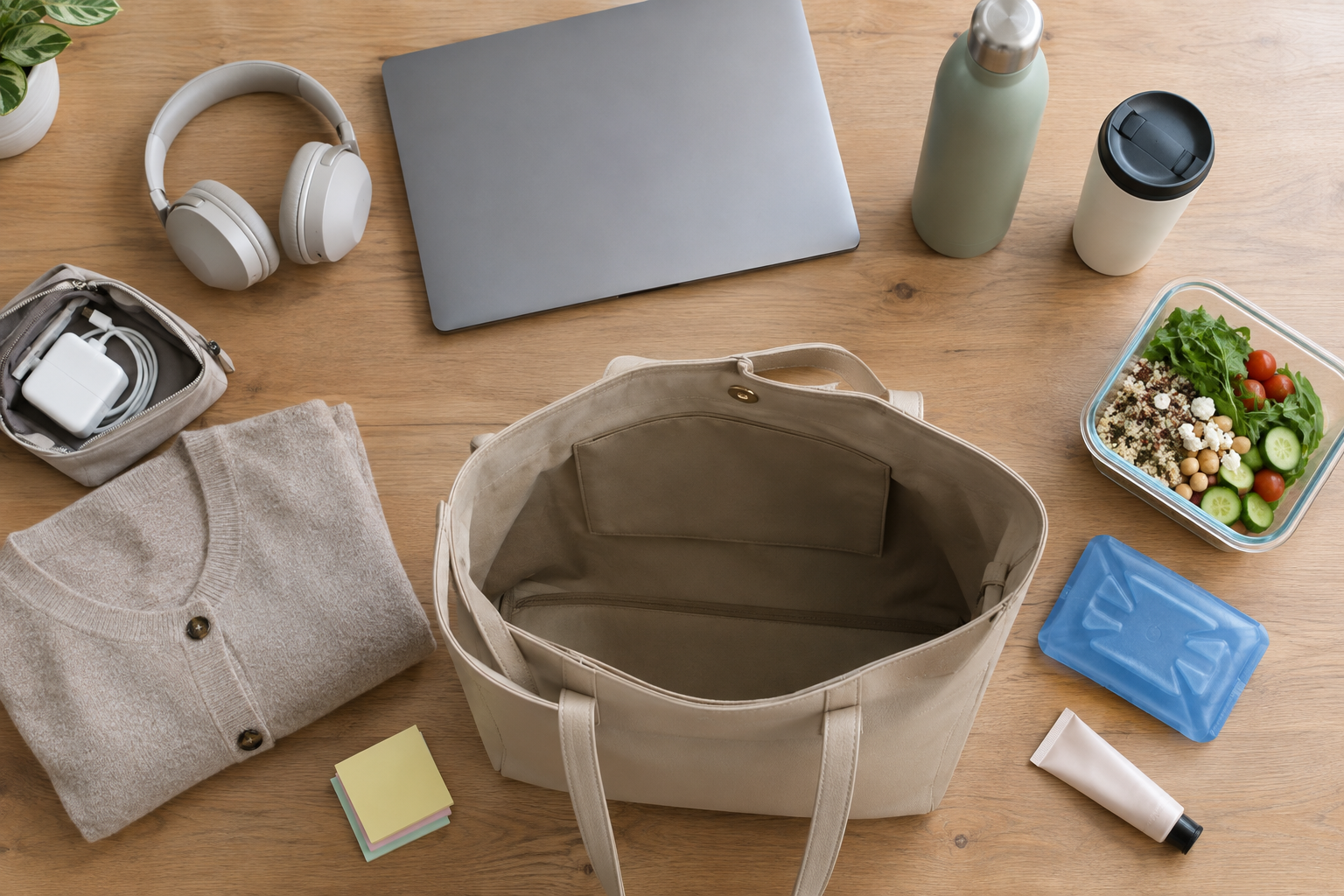
Build an office-day food routine
- Cook once for office days. Make a batch the night before your first office day of the week and portion it for each office day.
- Pack drinks from home. A refillable water bottle and a travel mug of coffee or tea save more than you'd expect over a month.
- Stock the bag with snacks. Nuts, crackers or a granola bar stop the afternoon vending-machine run.
- Plan one lunch out. Make team lunches a choice, not a default.
Keep food safe until lunchtime
If your office fridge is crowded or far from your desk, food safety matters. The USDA notes that bacteria multiply rapidly between 40°F and 140°F (4°C to 60°C), and perishable food shouldn't sit at room temperature for more than two hours. An insulated lunch bag (lunch box) with at least two cold sources, such as gel packs or a frozen water bottle, helps keep cold food cold. For more on prepping meals that stay fresh, see our guide to meal prep for busy workdays.
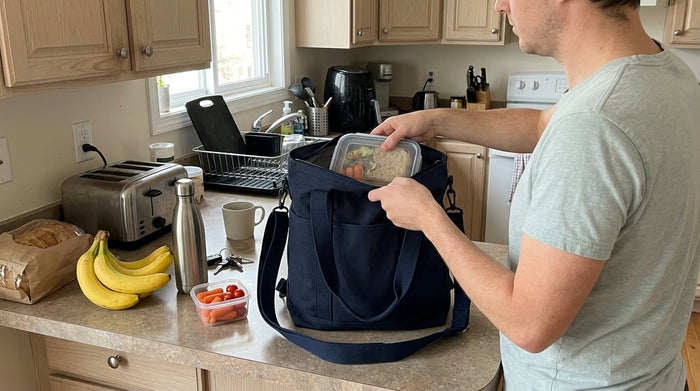
A bag with a built-in insulated compartment, like the JELRIX 3-in-1 Totebag, means your lunch rides in the same bag as your laptop instead of a second bag dangling from your wrist.
Commute Essentials: What to Bring to the Office and Back
Whether you drive, take the bus, or commute by train, subway or tube, your commute shapes what to bring to the office. Think about these:
- Transit card or phone wallet in an easy-to-reach but secure pocket.
- Weather backup: compact umbrella, light layer, sunglasses.
- A secure zip pocket for your phone and wallet on crowded platforms.
Weight matters too. TIME, citing a Journal of Physical Therapy Science guideline, reports that a bag shouldn't exceed about 10% of your body weight. Orthopedic surgeon Dr. Sabrina Strickland suggests considering a second bag once a load reaches around 6 to 7 pounds. Switch shoulders often. If you are juggling a tote, lunch bag and coffee every morning, our post on the hidden cost of the morning juggle is worth a read.
Wellbeing on Office Days: Posture and Breaks
Home setups often have a better chair or a standing option. Office days can mean a random desk at the wrong height. A few habits help:
- Adjust before you start. Set the chair height so your feet are flat and your screen sits near eye level. A laptop stand helps here.
- Move every hour. Refill your water or take a call standing.
- Take a real lunch break away from the desk. A packed lunch means no waiting in line.
- Protect focus time. Block an hour for heads-down work.
Printable Return to Office Essentials Checklist
Print this, or save it to your phone. Items marked "stays in bag" never come out; the rest you add on the morning.
| Item | Category | When |
|---|---|---|
| Laptop charger (spare) | Tech | Stays in bag |
| Phone cable and power bank | Tech | Stays in bag |
| Headphones | Tech | Stays in bag |
| Badge or access card | Tech | Stays in bag |
| Laptop | Tech | Morning |
| Wipes, mug, sticky notes | Hot desk kit | Stays in bag |
| Cardigan or wrap | Comfort | Stays in bag |
| Toiletry pouch, hand cream | Comfort | Stays in bag |
| Compact umbrella | Commute | Stays in bag |
| Lunch and cold packs | Food | Morning |
| Water bottle and coffee | Food | Morning |
| Snacks | Food | Restock weekly |
| Keys, wallet, phone | Commute | Morning |
The Sunday and Evening Routine That Makes It Work
Smooth office days start the night before. Your return to office essentials only work if they are charged, stocked and ready.
Sunday reset (15 minutes)
- Check your calendar and note which days are office days.
- Plan office-day lunches and do any batch cooking.
- Restock snacks, wipes, tissues and toiletries in the bag.
Night before an office day (10 minutes)
- Charge your laptop, phone and power bank.
- Portion lunch into containers and put gel packs in the freezer.
- Lay out your outfit, including the cardigan or office shoes.
- Put the laptop in the bag and leave the bag by the door.
In the morning, add lunch, cold packs, water and coffee. Then go.
Our Pick: One Bag for Laptop, Lunch and Essentials
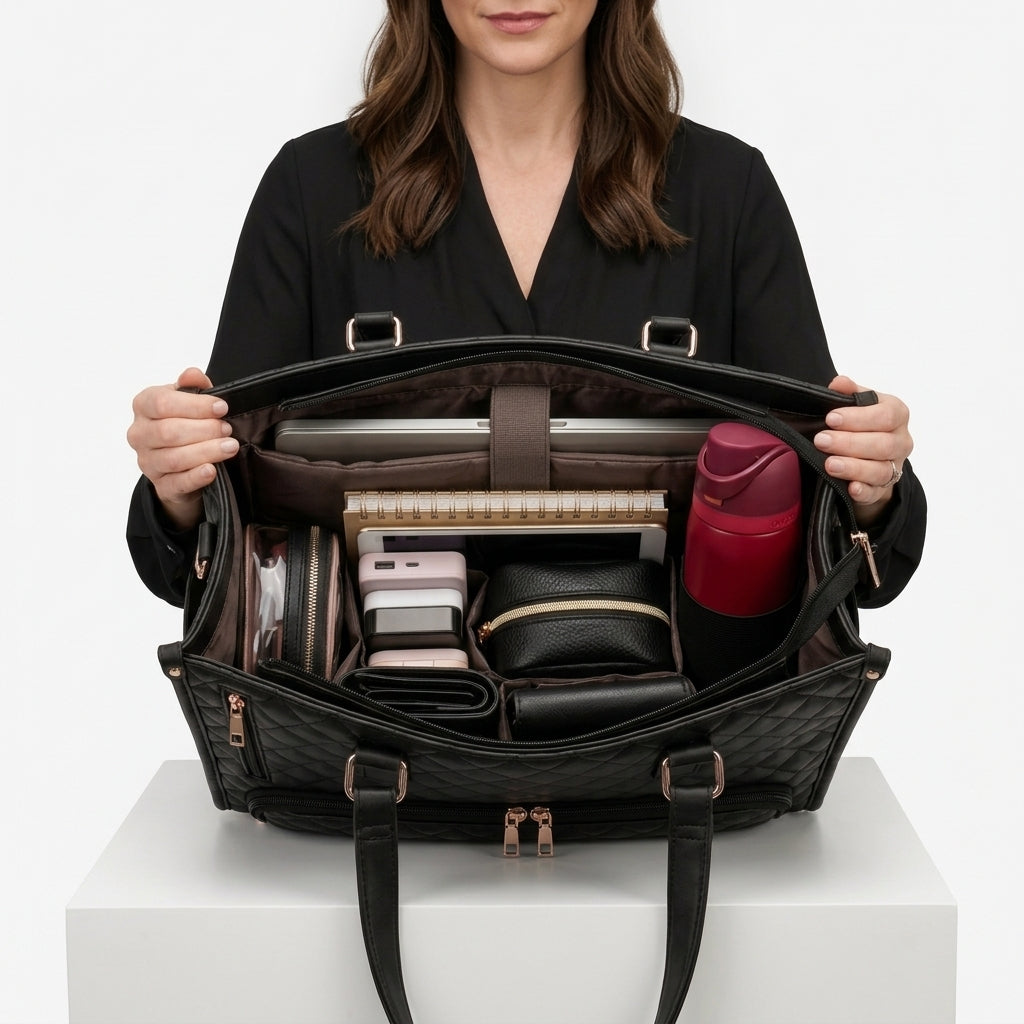
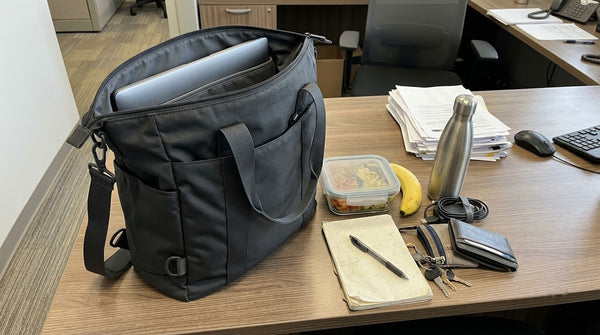
If your current routine involves a laptop bag, a separate lunch bag and a handbag, the JELRIX 3-in-1 Totebag was designed to combine them. It is a work tote, insulated lunch bag and organizer in one. The leak-proof insulated food compartment keeps meals warm up to 5 hours and drinks cold up to 10 hours. It fits laptops up to 17", and seven interior compartments give your chargers, comfort kit and hot desk kit a home. A hidden anti-theft zip pocket holds your phone and wallet on busy commutes.
The exterior is waterproof with a structured, premium leather finish, and the lining wipes clean if something spills. It was designed by a woman, and it comes in several colors. It suits hybrid workers who want one go-bag instead of three. If you prefer a tiny crossbody or carry very little, it may be more bag than you need. It is backed by a 30-day money-back guarantee under our Refund Policy, and there are bundle savings if coworkers want one too.
Keep Reading
Office days go more smoothly when your bag is set up the same way every time. Our guide on how to organize a tote bag so you can actually find things shows you how to create simple zones so nothing gets lost between home and the office. If you like to squeeze in a workout on office days, read how to carry gym clothes to work in one bag. And to make sure your packed lunch is still fresh by noon, check how long an insulated lunch bag keeps food cold.
Two more guides for office days: learn how to save money by packing lunch for work, and read why you need a real lunch break (and how to take one).
Frequently Asked Questions
What should I bring to the office on my first day back?
Bring your laptop and charger, badge, headphones, a notebook and pen, a water bottle, a packed lunch and a light layer for air conditioning. Add a small pouch with hand cream, tissues and personal items. Check whether desks are shared, since hot desks mean carrying everything all day.
What are the essentials for hybrid work?
The core hybrid work essentials are a spare laptop charger, phone cable, power bank, headphones, a compact mouse and any adapters your office monitors need. Add a reusable bottle, a comfort pouch and a bag that stays packed for office days. Duplicating the small items is the easiest way to stop forgetting them.
What do you need for hot desking?
For hot desking, pack disinfecting wipes, a reusable mug, sticky notes, a pen, headphones and a small pouch for desk clutter. A slim laptop stand helps with posture on unfamiliar desks. Keep everything in one pouch so setup and pack-down take about a minute, and you never leave anything behind.
How can I save money on office days?
Pack lunch and snacks from home, bring coffee in a travel mug, and carry a refillable water bottle. Batch-cook on Sunday so office-day meals are ready to grab. Choose team lunches on purpose instead of by default. An insulated bag with cold packs keeps packed food safe until lunchtime.
What should be in a work bag for women?
A practical work bag for women usually holds a laptop and charger, phone and cable, wallet, keys, badge, headphones, a notebook, a water bottle and lunch. Add a comfort pouch with hand cream, lip balm, hair ties, tissues and period products, plus a compact umbrella and a light cardigan.
Sources: USDA, Use an Insulated Lunch Bag to Keep Meals Safe; TIME, heavy bag health risks.